MapSimple Suite: Live Feed Integration for ArcGIS Experience Builder
Version: 1.19.0-r001.072
Compatibility: ArcGIS Experience Builder Developer Edition 1.19.0+
Author: Adam Cabrera
The Story Behind FeedSimple
It all started with an idea I had while sitting in a session at the 2026 Esri Developer Summit.
I had been thinking about King County’s MyCommute application, specifically the road closure feed it consumes. It is a flat XML feed, non-standard, the kind of thing that has been quietly powering a public-facing tool for years without anyone questioning whether there was a better way to surface it. I knew there was no native ExB widget that could consume something like that. I also knew that after months of building QuerySimple and HelperSimple, I had the patterns, the tooling, and the instincts to move fast.
So that evening, I started.
Two hours in, I had a prototype. Twenty-four hours in, it was solid. Forty-eight hours in, I had gone well past the original scope. Four days later, FeedSimple could consume almost any XML feed (RSS, Atom, GeoRSS, or fully custom schemas), display the data as styled interactive cards, and place it on a map without a feature service, a data pipeline, or any server-side processing.
This is what it does.
Try It Live
King County Road Closures View Demo
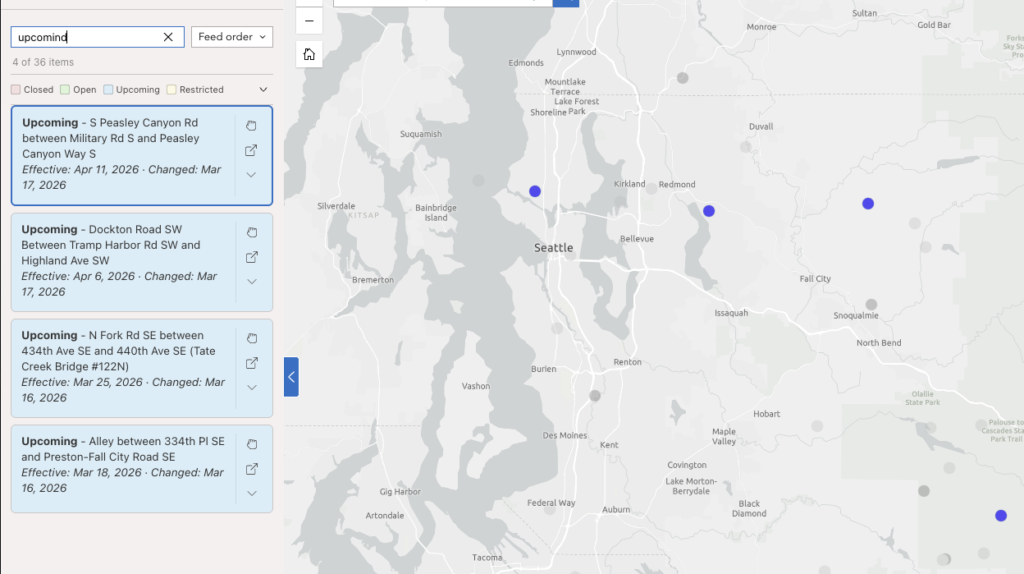
A live King County MyCommute road closure feed rendered as interactive cards. This demo uses the spatial join mode: feed items are matched to an existing ArcGIS Online feature service by closure ID, giving each card a real geometry for zoom, pan, and popup without coordinates in the feed itself.
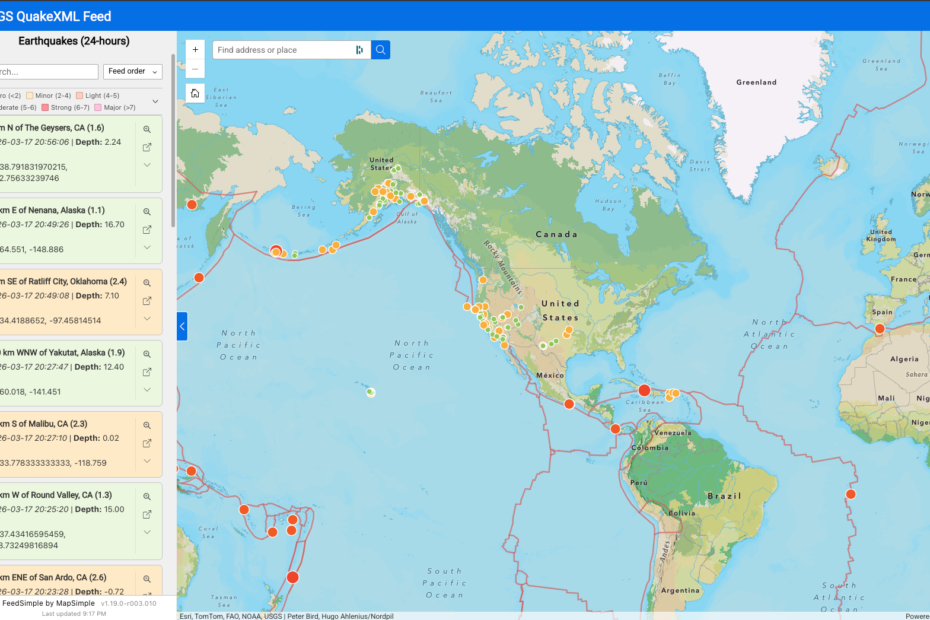
USGS Earthquakes: Past 24 Hours View Demo
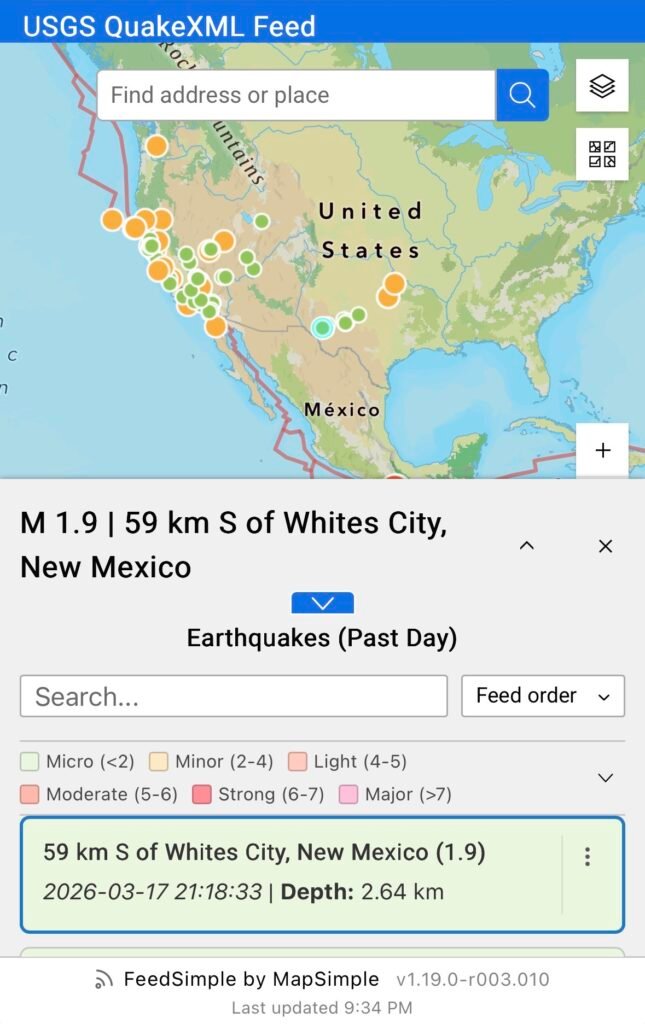
A live USGS earthquake feed for the past 24 hours with coordinates embedded directly in the feed. FeedSimple consumes the full feed and filters out events below M1.0 on the client side. The map layer is built at runtime with no feature service required, and updates automatically with each poll cycle as new events are reported.
A couple of things worth noting about this demo:
The feed provides depth in meters. The card template converts it to kilometers inline using the pipe filter system, with no custom code required:
**Depth:** {{origin.depth.value | /1000 | round:2 | suffix: km}}The “More Info” link on each card does not come from the feed directly. The USGS feed provides an event source and event ID as separate fields. The link is a composite URL reverse engineered from the USGS site and assembled per item using token substitution:
https://earthquake.usgs.gov/earthquakes/eventpage/{{magnitude.@eventsource}}{{origin.@eventid}}Both of these are examples of what the token and pipe filter system is designed for: shaping raw feed data into something useful without touching code.
1. Feed Engine
Universal XML Parser
FeedSimple parses any XML-based feed without requiring a custom parser per source. The engine handles recursive nested field flattening, namespace stripping, attribute extraction, and array handling. RSS, Atom, GeoRSS, and fully custom schemas are all supported through a single configurable field path.
- Configurable root element: Authors specify the tag name of the repeating item element (e.g.,
item,entry, or a custom tag). The parser traverses to that depth and extracts all child fields. - Namespace stripping: Prefixed fields such as
georss:pointorgdacs:alertlevelare accessible as clean token names (point,alertlevel). - Attribute extraction: XML attributes are promoted to first-class fields alongside element content.
Configurable Polling
The widget polls the feed on a configurable interval and refreshes the card list and map layer with each successful response.
- Page Visibility API integration: Polling pauses automatically when the browser tab is hidden and resumes instantly on return. This prevents unnecessary network requests and avoids stale-data accumulation while the tab is inactive.
- Minimum interval: 15 seconds. Setting the interval to 0 disables polling entirely for static feeds.
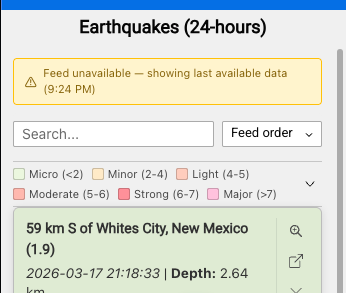
Non-Blocking Error Handling
Feed fetch failures do not clear the card list or remove the map layer. The last successful dataset stays visible with a staleness indicator showing the time of the last successful fetch.
- Amber state: Fetch has failed but polling continues. A warning banner is shown.
- Red state: Consecutive failures have exceeded the configured threshold. Polling stops. A manual refresh button is shown.
- Recovery: A successful fetch from any state returns the widget to normal and removes the banner.
Config Versioning
FeedSimple uses an independent versioning system for its configuration. When new settings are introduced in an updated release, existing app configurations continue to work without modification, new fields initialize at sensible defaults. Apps built on earlier versions do not break when the widget is updated.
CORS and Authentication
Feeds served from external domains may encounter CORS restrictions depending on the server’s configuration. FeedSimple supports a configurable proxy URL prefix to route requests through a proxy when needed. For portal-secured endpoints, esriRequest handles automatic token injection. CORS handling is the responsibility of the deployment environment, if a feed works without a proxy, no configuration is needed.
2. Card Rendering
Markdown Card Templates
Card content is defined by the author using a Markdown template with {{token}} substitution. Any field from the parsed feed is available as a token. Templates support standard Markdown formatting including headings, bold, italic, links, and line breaks.
Chainable Pipe Filters
Token values can be transformed inline using a chainable pipe syntax:
- Date formatting:
{{pubDate | "MMM D, YYYY h:mm A"}}with 24-hour and timezone offset support - Math:
{{value | / 1000 | round}}for unit conversions - String:
upper,lower,prefix:"$",suffix:" km/h" - Links:
autolinkconverts raw URLs to anchor tags;externalLinkwraps a field value in a configurable URL pattern
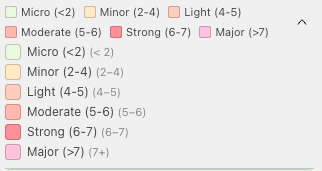
Status Color Coding
A designated status field drives card background color in two modes:
- Exact match mode: Each distinct status value maps to a specific color (e.g., Closed → red, Open → green).
- Range mode: Numeric fields are classified into configurable break ranges, each with a label and color. Useful for sensor readings, severity scores, or any continuous numeric value.
A collapsible color legend above the card list displays swatches and labels. The legend is admin-togglable and off by default.

Mobile Card Template
A separate simplified Markdown template renders at viewports of 600px and below, allowing authors to strip secondary fields for small screens without affecting the desktop layout.
Before these responsive features existed, the only practical path was maintaining two separate widget instances, one configured for desktop and one for mobile, and managing them independently. Any change had to be made twice. FeedSimple consolidates that into a single widget with per-breakpoint overrides for templates, toolbar position, and popup behavior.
Card Action Toolbar
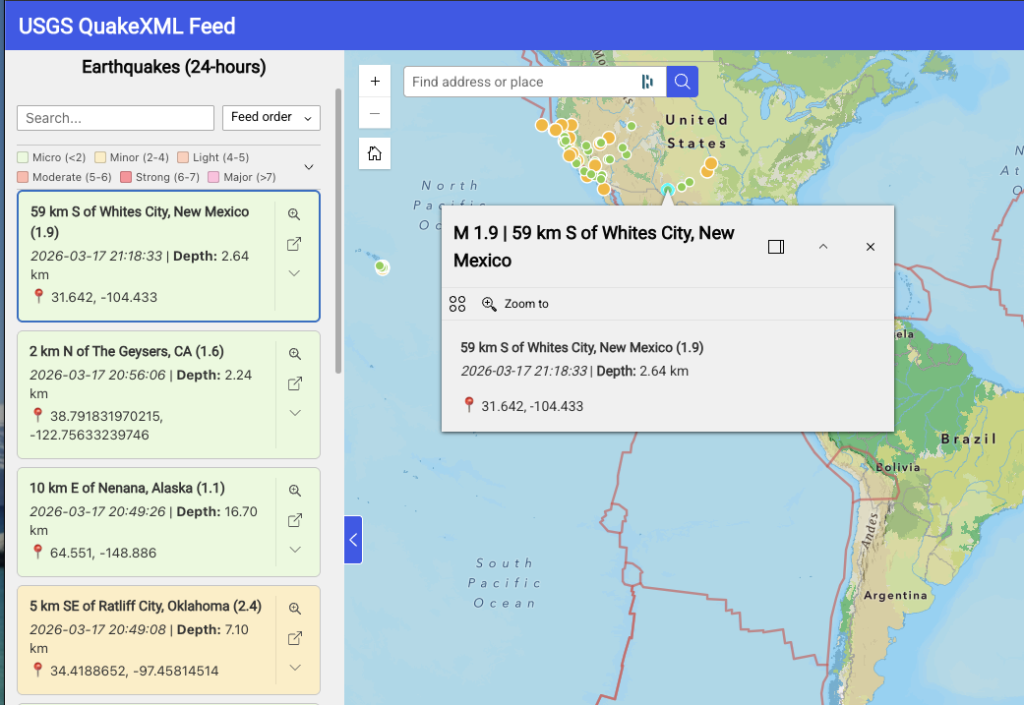
Each card carries a configurable action toolbar with zoom, pan, expand, and external link buttons. Toolbar position (bottom, right, or kebab menu) and mobile position are configured independently.
Additional card behaviors include hover tooltips from any field, click feedback when no geometry is present, and an expand button revealing raw field:value pairs for diagnostics or power users.
Source Attribution
An optional footer displays source attribution text with a configurable link.
3. Search, Sort, and Pagination
Real-Time Client-Side Search
A search bar above the card list filters cards in real time against configured fields with a 200ms debounce. No additional network requests are made. A result count label shows matching items out of total.
Sort Controls
A sort control allows runtime sorting by any configured field. Field dropdown and direction toggle are both available to the user. Default sort field and direction are set in the configuration panel. Numeric and date fields sort by value; all others sort lexicographically.
Range Label Search and Sort
When range-mode color coding is active, range labels become virtual fields available for search and sort. This allows filtering or sorting by a derived classification (e.g., “Flood Stage”) rather than the raw numeric value.
Pagination
Expand-style pagination reveals cards in configurable increments with a “Show More” button displaying the remaining count. A “Show All” option is available. Changing the search query or sort resets the visible count.
4. Feed Map Layer
FeedSimple can generate a live client-side FeatureLayer directly from coordinates embedded in the feed. No feature service, no data pipeline, no server configuration required.
Auto-Generated Feature Layer
When coordinate fields are detected and configured, FeedSimple constructs a FeatureLayer in the browser at runtime. The layer appears in the map’s layer list and legend, supports click-to-identify, and participates in standard ExB map interactions.
- GeoRSS support:
georss:pointvalues (space-separated lat/lon string) are automatically split into discrete coordinate fields. - Smart field detection: The settings panel detects candidate coordinate fields on mount and suggests mappings.
- Efficient sync: Poll-cycle updates are applied via
applyEdits()rather than layer recreation, preventing flicker and preserving layer state.
Map Symbology
The auto-generated layer uses a ClassBreaksRenderer driven by the same range break configuration as the card color coding. Map symbol color, size, style, outline color, and outline width are each configurable per range, independent of card colors.
Bidirectional Card and Map Sync
Clicking a card zooms or pans the map to the corresponding feature and opens its popup. Clicking a map feature scrolls the card list to the corresponding card and highlights it. Search and filter operations dim unmatched features on the map via FeatureEffect.
Popup Templates
Popup title and content support {{token}} substitution. Separate desktop and mobile popup templates cascade by viewport width.
5. Spatial Join (Feature Service Integration)
For feeds that reference existing spatial data by a shared key, such as a closure ID that matches a record in a feature service, FeedSimple can join feed items to an existing feature service without embedding coordinates in the feed.
- Batch queries: Matched IDs are resolved via a single
WHERE IN (...)query rather than one request per card. - Numeric and string detection: The join field type is detected automatically.
- Card click behavior: Clicking a card zooms or pans to the matched feature and opens its popup. Zoom level (points) and zoom buffer (lines and polygons) are configurable independently. Center-on-click mode is available as a mutually exclusive alternative to zoom.
6. Settings Panel
The settings panel is designed for progressive disclosure, advanced options only appear when the parent feature is enabled. Fields are auto-discovered on panel mount from a live sample of the configured feed.
- Template syntax help: An expandable panel shows available tokens, filter reference, and a live preview of the current template.
- Range break management: Color break ranges support drag-and-drop reorder.
- Field chips: High-contrast scrollable chips for multi-field configuration (search fields, sort fields, coordinate mapping).
- Dark mode: All styling uses ExB theme CSS variables throughout.
7. Developer
- Debug logger: Tagged channel logging (FETCH, PARSE, RENDER, POLL, JOIN, TEMPLATE, SETTINGS, FEED-LAYER) for development and diagnostics.
- 137 unit tests across 4 test files covering the parser, token renderer, feature layer sync, and spatial join.
Resources
- Download Latest Release
- View All Releases
- Installation Guide
- Report Issues
- Original Design Spec — the spec used to kick off development